
The Short Answer
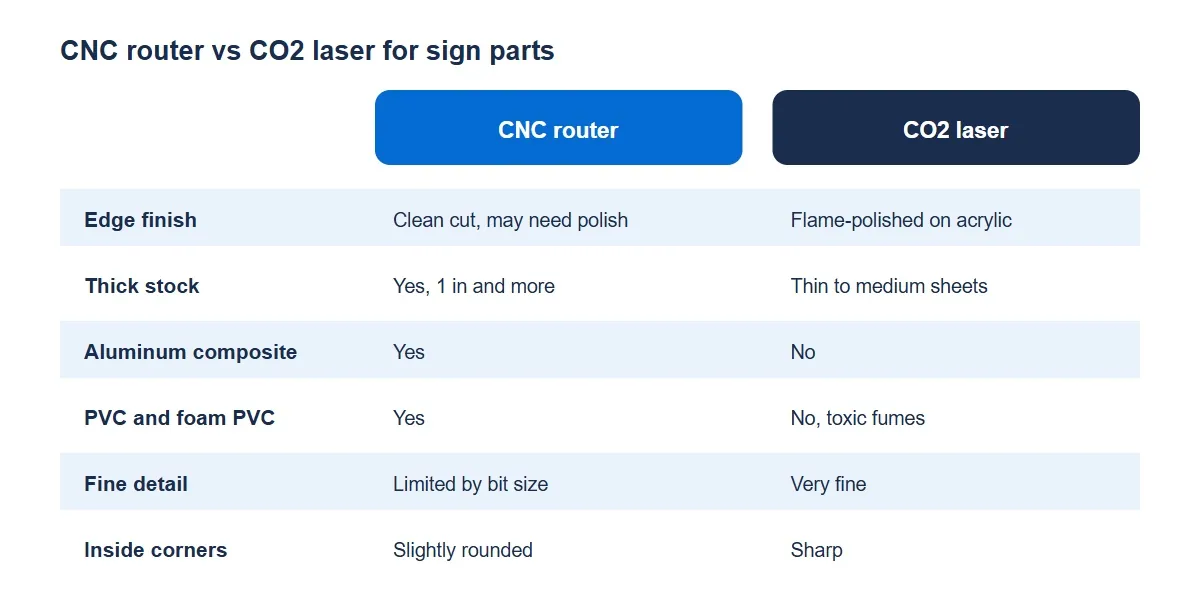
- CNC router: a spinning bit cuts the part. Best for thick stock, aluminum composite, PVC, wood and pockets or bevels.
- CO2 laser: a beam melts or burns through the sheet. Best for thin to medium acrylic and wood, fine detail and sharp inside corners.
- Acrylic edges come off a laser flame-polished and glossy. Router edges are clean but matte, and can be polished after.
- PVC and foam PVC are never laser cut. Heated PVC gives off chlorine gas, so these go on the router.
Side by Side
How a CNC Router Works
A CNC router moves a spinning cutting bit along the paths in your file. It cuts through the sheet or only part way, so it can make pockets, V-carved letters and beveled edges. Because the bit is round, inside corners come out with a small radius the size of the bit.
Routers handle big sheets and thick material, which is why they cut dimensional letters, aluminum composite panels, foam PVC and wood signs.
How a Laser Cutter Works
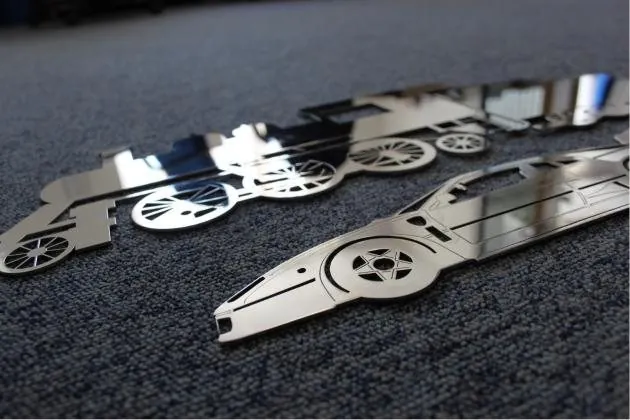
A CO2 laser focuses a beam that melts or vaporizes the material along the cut line. Nothing touches the sheet, so very small text and thin lines hold their shape. On acrylic the heat leaves a glossy, flame-polished edge with no extra step.
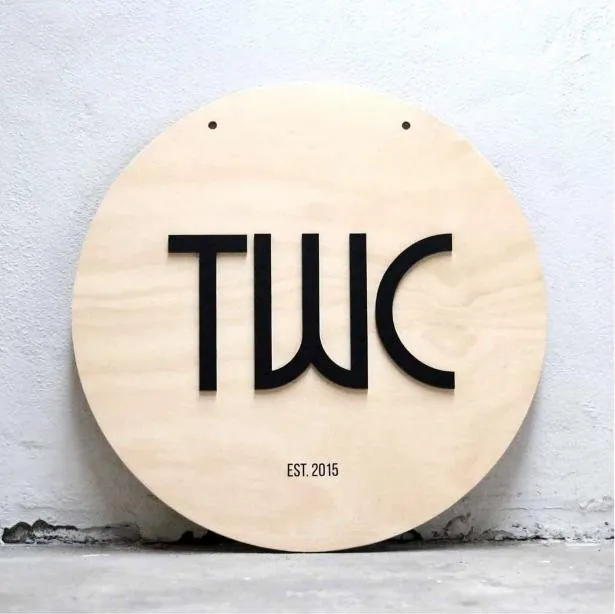
On wood, a laser leaves a dark edge. Some clients like the look; if not, the router gives a natural wood edge.
Material by Material
| Material | CNC router | CO2 laser |
|---|---|---|
| Acrylic | Yes, any thickness | Yes, best edge on thin to medium sheets |
| Wood and plywood | Yes, natural edge | Yes, darker edge, fine detail |
| MDF | Yes | Yes, with good ventilation |
| Foam PVC (Sintra) and PVC | Yes | No, gives off chlorine gas |
| Aluminum composite (ACM) | Yes | No |
| Aluminum sheet | Yes, thin sheet with the right bit | No, needs a fiber laser or waterjet |
| Polycarbonate | Yes | No, burns and discolors |
| HDU foam | Yes, carved signs | No |
Which One for Your Project
Dimensional letters from thick acrylic or PVC, ACM panels and shapes, carved wood and HDU signs, parts over about 1/2 in thick.
Small acrylic letters and logos, detailed wood pieces, acrylic stand-off plaques, parts with sharp inside corners.
Medium acrylic letters. Pick the laser for a glossy edge, the router for very large sheets or thick stock.
Price depends on cutting time and material. A laser is fast on thin, detailed parts; a router is fast on big, thick parts. We pick the machine that gives the best part for the money.
Files We Need
- Vector fileAI, PDF, EPS, SVG or DXF with closed outlines. Convert text to outlines.
- Real sizeDraw at 1:1 or give the final size of one part.
- Material and thicknessTell us the material, color and thickness, or ask us to suggest one.
- QuantityHow many of each part. Repeat parts are nested on the sheet to save material.
Our artwork guideline has the full file checklist.
Send the file, the material and how many you need. We reply with the best machine for the job, a price and a ready date.
CNC and Laser Cutting Questions, Answered
What is the difference between CNC routing and laser cutting?
A CNC router cuts with a spinning bit and suits thick stock, PVC, aluminum composite and wood. A laser cuts with a beam and suits thin to medium acrylic and wood with fine detail.
Which gives a better acrylic edge?
The laser. It leaves a glossy, flame-polished edge. A router edge is matte and can be polished after.
Can you laser cut PVC or Sintra?
No. Heated PVC gives off chlorine gas, which is harmful to people and the machine. PVC goes on the router.
Can you laser cut aluminum composite (ACM)?
No. ACM panels are cut on the router.
What file do you need for cutting?
A vector file such as AI, PDF, EPS, SVG or DXF, with text converted to outlines and the final size noted.
Ask a Sign Maker
Not sure which machine fits your part? Send the file and the material. A project manager answers by email within one business day.

Abie S. writes for Signs NYC. Signs NYC has designed, built and installed signs and awnings in New York City since 1995, with shops in Brooklyn and Linden, NJ. About us
Sources and Further Reading
Safety
- Stanford EH&S: Laser cutters safety guidance (PDF)
- University of Washington Fab Lab: Laser cutter approved materials (PDF)